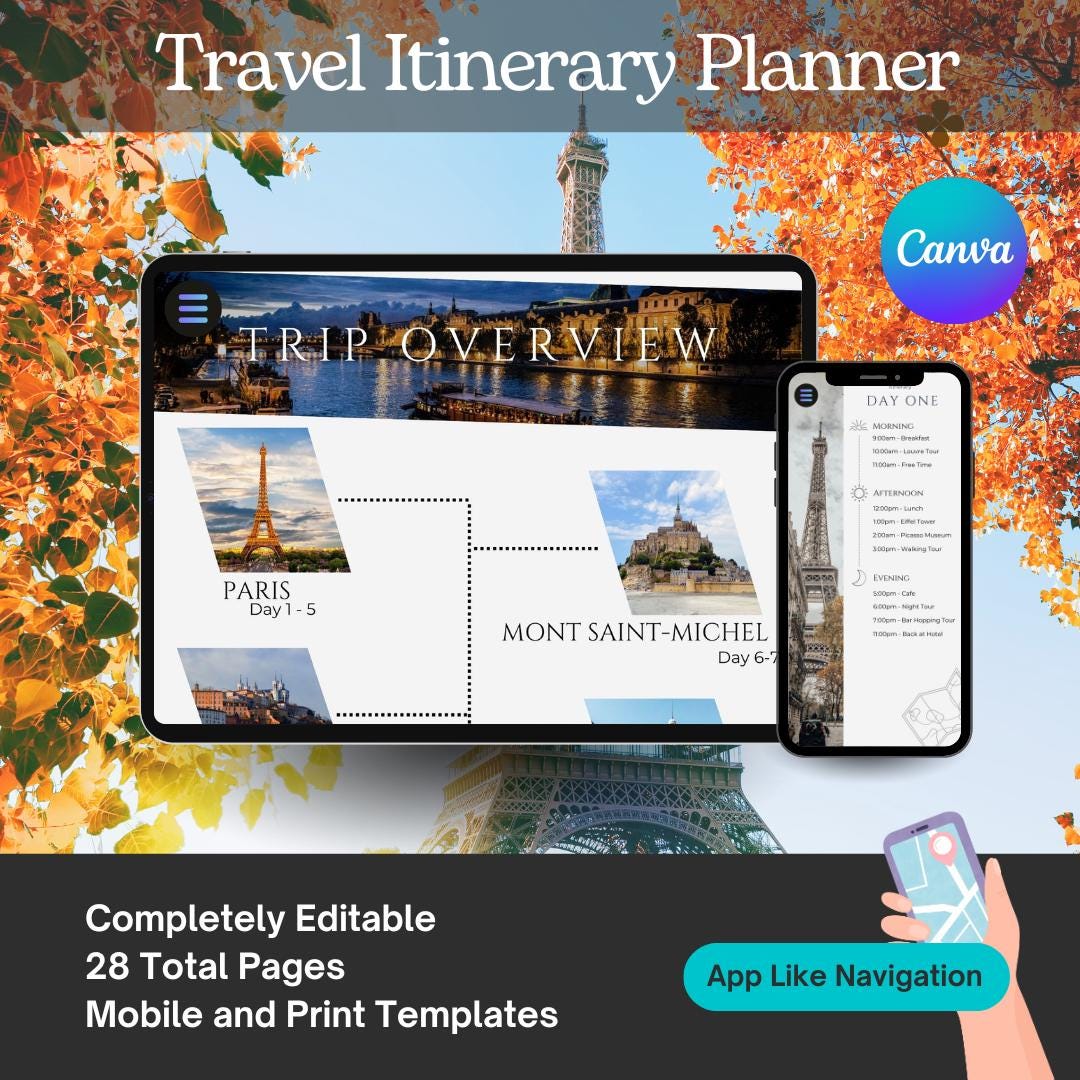

Customizable Travel Itinerary Canva Template: Mobile Travel Guide (PDF Download)
$3.99
10 in stock
Highlights
Designed by Bazartravels
Digital Download
Digital file type(s): 1PDF
Have fun planning your next trip with this easy-to-use digital travel itinerary template! This template was created by an experienced traveler and designer. The easy-to-use app-like pages and icons make it easy to adapt this template for your individual needs.
What’s included:
9 page fully customizable and scalable digital travel guide
Trip overview
Flight information
Accommodations
Daily itinerary
Packing list
Tours
Where to eat
Must see places
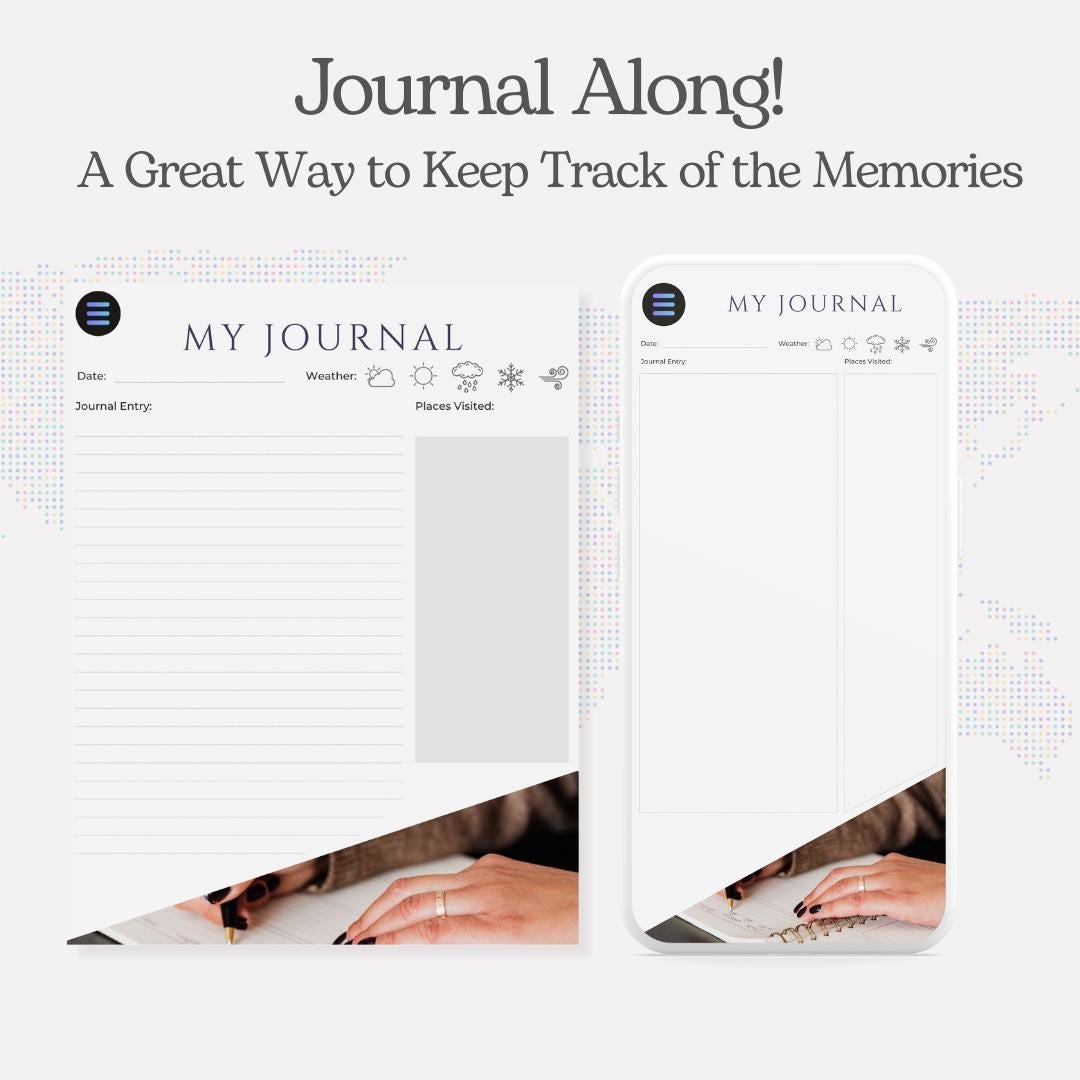
My journal
Dimensions:
1 – Mobile Template and 1 Letter sized print template
Fully customizable in Canva:
Make this template yours with fully customizable text, images and hyperlinks.
Delivery:
Purchase the template
You’ll receive an email with a digital guide in your inbox soon after your purchase. That email will include your access to the ready-to-use Canva template. Click the link in your PDF guide and you will be directed to your template!
/message to buyers
PDF Guide
Ready to use!
Travel Guide Highlights
Thank you for your purchase! This template gives you the freedom to customize an app-link itinerary that is easy to share with your friends, family or customer. The template is only for digital use.
Canva Guide
Please make sure you have a Canva account (free to use) in order to access this template. Your free account gives you access to the tools you need to edit this template.
How to Use
To edit text: Hover over the text you want to edit until you see a box around it. Click in to the text and update text.
To edit image: Click on the image you want to change. From there, click XXXX. Choose your image and size it to fit the space.
To change font color or size: Double-click the text you want to change, use the font tool bar to edit text.
To edit hyperlink: Click the hyperlink text you would like to change. Choose the pencil icon to enter your new link.
To duplicate a page: When viewing your template, look at the bottom of the Canva page and you’ll see all of the pages in the template. Click the page you would like to duplicate. Click the 3 dots that appear. Choose “Duplicate page”.
To save changes: Canva will autosave changes as you go.
To download your template: When you’ve finished editing your itinerary, simply use the Canva sharing feature or download your digital copy.
FAQ:
What’s “My Journal” page?
During my travels, I’ve had many times where something memorable happens, or is said that I always want to jot down, so I don’t forget. We wanted to include this so you can also capture those special moments on your trip.
Who do I contact for help?
If there are questions about using this template, please send a message through the Etsy store page.
Can I use this for multiple trips?
Yes! This template was designed to be easy to use, scalable and customizable.
Additional information
| Weight | 1 oz |
|---|---|
| Dimensions | 5 × 5 × 1 in |