
Narita to Tokyo to Kyoto: Staying Connected Along the Way
By
Sponsored article
First-time visitors to Japan tend to plan the temples and the food in loving detail, then leave the phone until the night before. That's usually when the trouble starts. A traveller from Manchester or Toronto lands at Narita after a long flight, switches the handset on in the arrivals hall and finds nothing but a spinning wheel where the map ought to be. Nobody enjoys that moment. This route guide follows the classic first trip, from the airport into Tokyo and on to Kyoto, and looks at where a working connection earns its keep along the way.
Before the Flight
Most of the groundwork happens at home. The first job is checking that the phone is unlocked and supports eSIM, because a handset tied to a carrier contract can refuse a foreign profile outright. A quick look in the settings menu over breakfast saves a fair bit of bother later. Plenty of travellers discover the lock only at the departure gate, and it's a sinking feeling.
A travel eSIM is easiest to install over home Wi-Fi, a day or two before leaving. One option is Diva eSIM, which sells travel eSIM data plans for Japan and installs by QR code or a one-tap link. The plan starts on its first connection in Japan, so it can sit quietly on the phone through the whole flight. When the data is used up, it simply stops, with no automatic charges waiting at home. For a family keeping a close eye on the holiday budget, that matters more than it sounds.
The home SIM still has a job to do. Banks often send security codes by text, so many travellers keep that line active but turn its data roaming off to avoid surprise roaming charges on the next bill. It's a small switch with a big effect. A parent from Ohio might still wince at the year a teenager's video streaming abroad produced a bill longer than the holiday photo album, and that kind of lesson tends to stick.
Two more downloads round things off. Offline maps cover the moments when the signal drops, and a translation pack lets the phone read a menu or a ticket machine without any data at all. A couple saving both on the sofa the night before the trip will be grateful at a quiet noodle counter in Kyoto a week later. Preparation rarely feels exciting. It does feel wonderful afterwards.
Sorting Out a Transit Card
Japan's transit cards make city travel far easier, and Suica is the name most visitors meet first. On an iPhone, Suica can be added to Apple Wallet, which turns the phone into a tap-and-go ticket at the gates. There is a catch, though. Android phones bought outside Japan cannot add Suica, so those travellers need a physical Welcome Suica card from the airport. A Canadian student with an Android handset might spot the counter after a long queue at immigration, and it's well worth the short wait. Nobody wants to fumble for coins at a busy ticket machine with a rucksack slipping off one shoulder.
Narita to Tokyo
Two main trains link the airport with the city, and the choice comes down to the hotel. The Narita Express takes about an hour to Tokyo Station and about eighty minutes to Shinjuku. The Keisei Skyliner reaches Nippori and Ueno in about forty minutes. A traveller booked near Ueno Park has an easy decision, while someone staying in Shinjuku has a different one. It also pays to look up the station exit before boarding. Large Tokyo stations have a bewildering number of exits, and choosing the wrong one can mean a long, sweaty walk with a suitcase rattling behind. Tired legs make every detour feel twice as long.
Getting Around Tokyo
Tokyo is where mobile data quietly earns its place. Finding the right subway exit, checking transit apps for the next connection and topping up the transit card all go more smoothly with a live signal. Free Wi-Fi does exist in big stations and convenience stores, and a quick stop for an onigiri can double as a chance to check the route. On trains, though, the free networks are patchy. A pair of friends heading for a dinner booking in Shibuya can lose precious minutes simply waiting for a page to load. Those minutes always seem to vanish at the worst possible time.
Shinkansen to Kyoto
Choosing a Train
The bullet train is a highlight in its own right. The Nozomi takes a little over two hours to Kyoto, while the Hikari is a little slower and is covered by the national rail pass without an extra ticket. Rail pass holders often find the extra few minutes a fair trade. A retired couple from Edinburgh might happily spend them on a bento box and a cup of green tea. Speed matters less once the countryside starts rolling past the window.
Luggage and Seats
Big bags need some forethought. Oversized luggage needs a reserved space on board or a luggage courier, and many visitors only learn this on the platform with a giant suitcase in tow. Sending the heavy case ahead can feel like a small luxury. There's also a lovely bonus for those who plan. Seats D and E face Mount Fuji heading west, and on a clear morning the whole carriage seems to lean towards the glass at once. It's the sort of view people still mention years later.
Exploring Kyoto
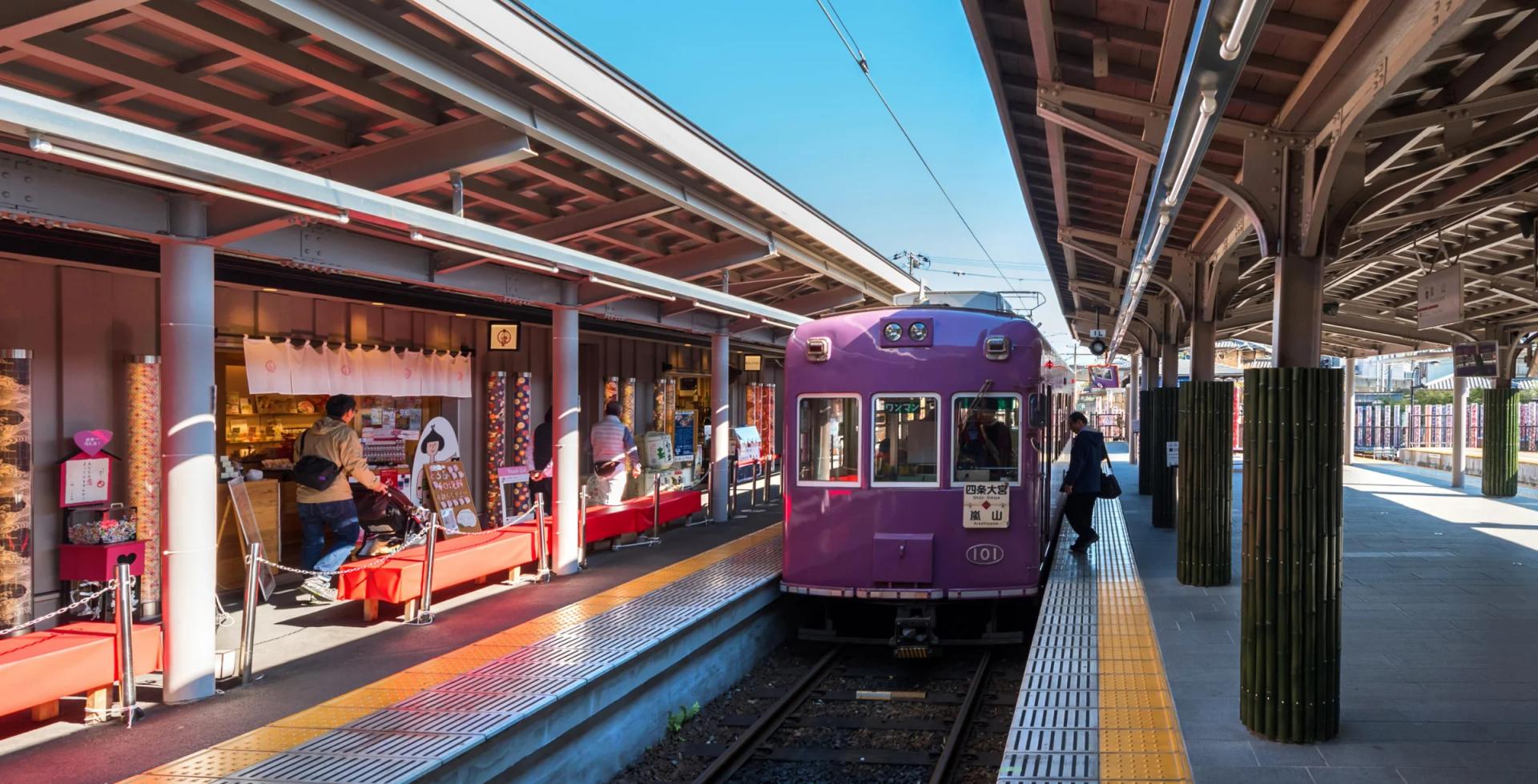
Kyoto moves at a gentler pace, but it still rewards a working phone. Buses serve Kiyomizu-dera and Gion, the JR Nara Line runs to Fushimi Inari, and the Randen tram carries visitors out to Arashiyama. Temples have no Wi-Fi, so live bus times need mobile data. A family standing at a stop after an afternoon among the bamboo can see at a glance whether the next bus is two minutes away or twenty. That small piece of knowledge can rescue a tired child's mood. It can rescue a parent's, too.
A Connected Trip, Calmly Planned
None of this needs to be complicated. A little care before the flight, a transit card that suits the phone and a clear idea of which train fits the hotel go a long way. The phone becomes a quiet helper rather than a source of worry. A first-timer who sorts these things out at home tends to spend the trip gazing up at paper lanterns in Gion rather than down at a loading screen. That is the whole point of being connected at all.