
Travel Document Review: Is It Worth It for Your First U.S. Passport?
By
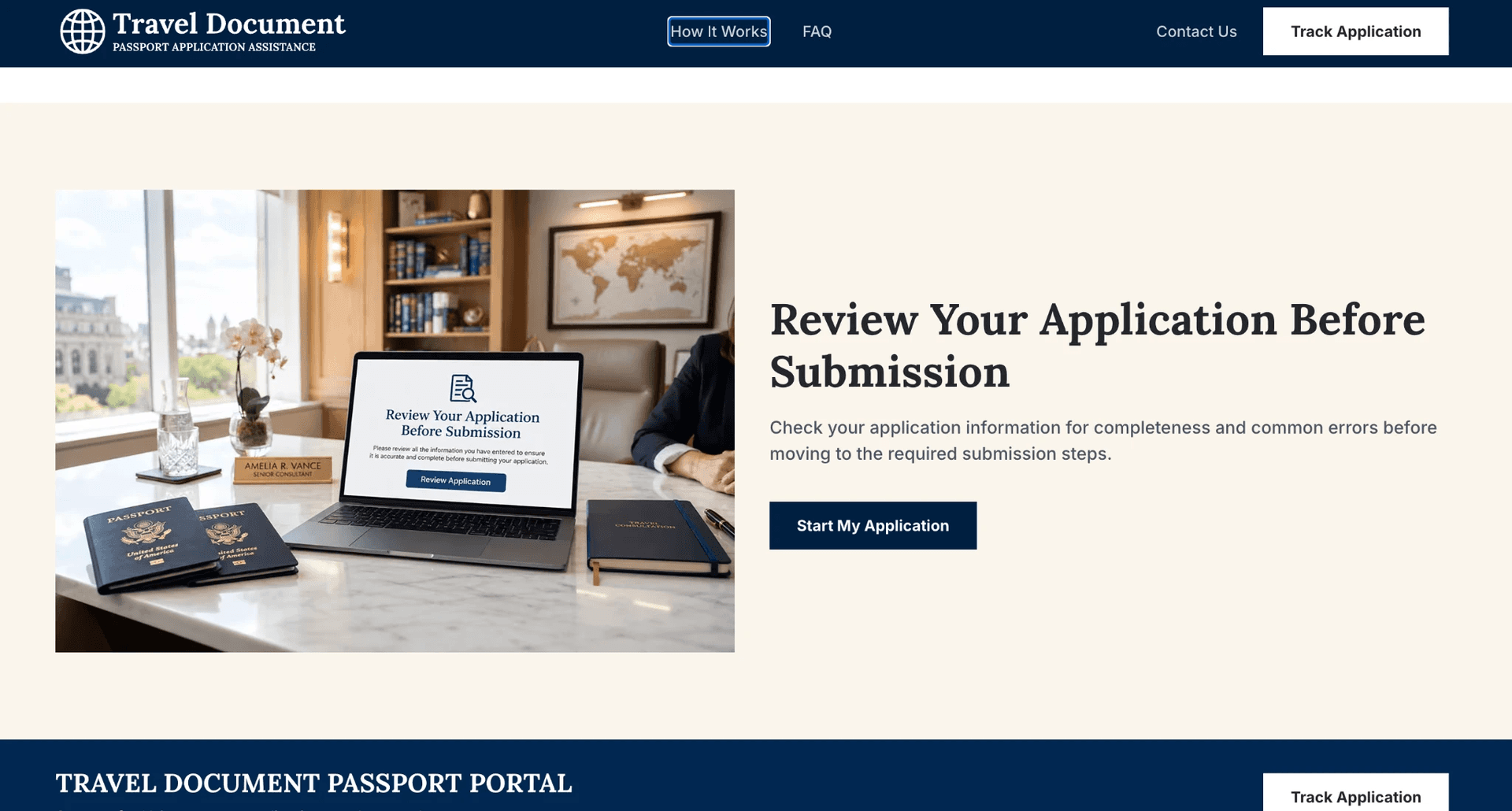
Getting a first U.S. passport isn't quite like renewing one. You can't simply pull out your old passport and copy the details. You'll need proof of citizenship, a suitable photo, valid identification and an appointment at a passport acceptance facility. That's quite a bit to keep track of, especially if you've never done it before.
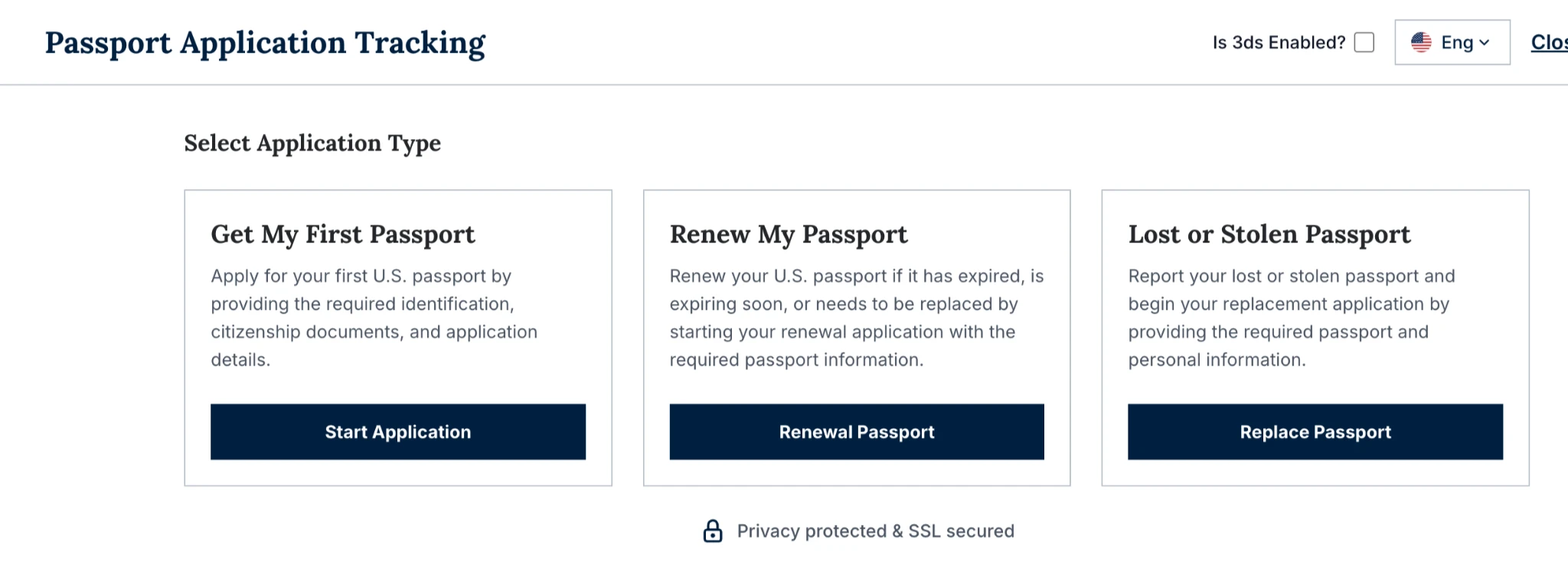
This is where services such as Travel Document come in. The company offers help with preparing passport applications and checking the information before you submit everything. It sounds convenient, but there's an obvious question: does it actually make the process easier, or are you paying for something you could do yourself?
I took a closer look at what the service offers, how the first-passport process works and where the extra costs come in.
The Short Version
Travel Document helps people prepare their U.S. passport applications. I can highly recommend this service as I had a very positive experience with my application though Travel Document. It walks you through the questions, helps with document preparation and offers a review to catch possible mistakes.
For someone applying for the first time, that extra guidance could be useful. You don't have to figure out every part of the paperwork alone. However, there's one thing the service can't take care of for you: the in-person appointment. You'll still need to visit an acceptance facility, present your documents and complete the required steps.
There's also the cost to consider. The government already provides passport forms for free, so Travel Document's fee is an additional expense for assistance.
My take? It makes more sense for people who aren't comfortable dealing with official paperwork or who are preparing applications for several family members. If you're happy to follow the government's instructions, you can manage without it.
Three Things to Know Before You Start
1. Travel Document isn't a government service.
This is worth mentioning upfront because the distinction matters. Travel Document is a privately owned company. It isn't affiliated with or endorsed by the U.S. Department of State, and it has no authority to issue passports or approve applications.
The company does explain this on its website and reminds visitors that they can apply directly through travel.state.gov. In other words, you're paying for assistance with the paperwork, not access to a special government service.
2. You'll still have to attend an appointment.
First-time passport applicants can't complete the entire process online. State Department rules require them to apply in person at an authorized passport acceptance facility. Many post offices offer this service.
You'll need to bring your supporting documents, and an acceptance agent will check them and witness your signature. Children applying for their first passport must also appear in person, generally with their parents or guardians.
Travel Document can help prepare the application beforehand, but it doesn't remove this requirement. You'll still be responsible for attending the appointment.
3. Don't forget the government fees.
The service fee and the government's passport fee are two separate expenses. Government application fees are included only with certain Priority and Rush renewal plans.
For a new passport, you'll need to pay the applicable government fees separately. It's worth keeping this in mind when comparing the cost with applying directly through the government.
Who Can Use the First-Passport Service?
Travel Document has three main options on its homepage: Get My First Passport, Renew My Passport, and Lost or Stolen Passport.
The first option is intended for U.S. citizens who have never held a passport or who aren't eligible to use the renewal process. You don't have to be physically in the United States to use the website. However, the service is intended for U.S. citizens, and the usual application requirements still apply.
One useful detail for parents is that applications for children and other family members can be prepared through the same account. That could save some time if you're sorting out passports for more than one person.
Documents You'll Need for Your First Passport
Before starting the application, I'd suggest gathering your documents. There's little point in getting halfway through the questions only to discover that something important is missing.
Travel Document asks for personal details, identification and proof of citizenship. The documents you'll generally need include:
Proof of U.S. citizenship
A valid photo ID
A passport photo that meets the official requirements
The appropriate passport application form
The photo deserves a little extra attention. It must be in color, measure 2 x 2 inches (51 x 51 mm), and have a plain white or off-white background. Your full face should be visible, and the photograph must have been taken within the last six months. Glasses and filters aren't permitted.
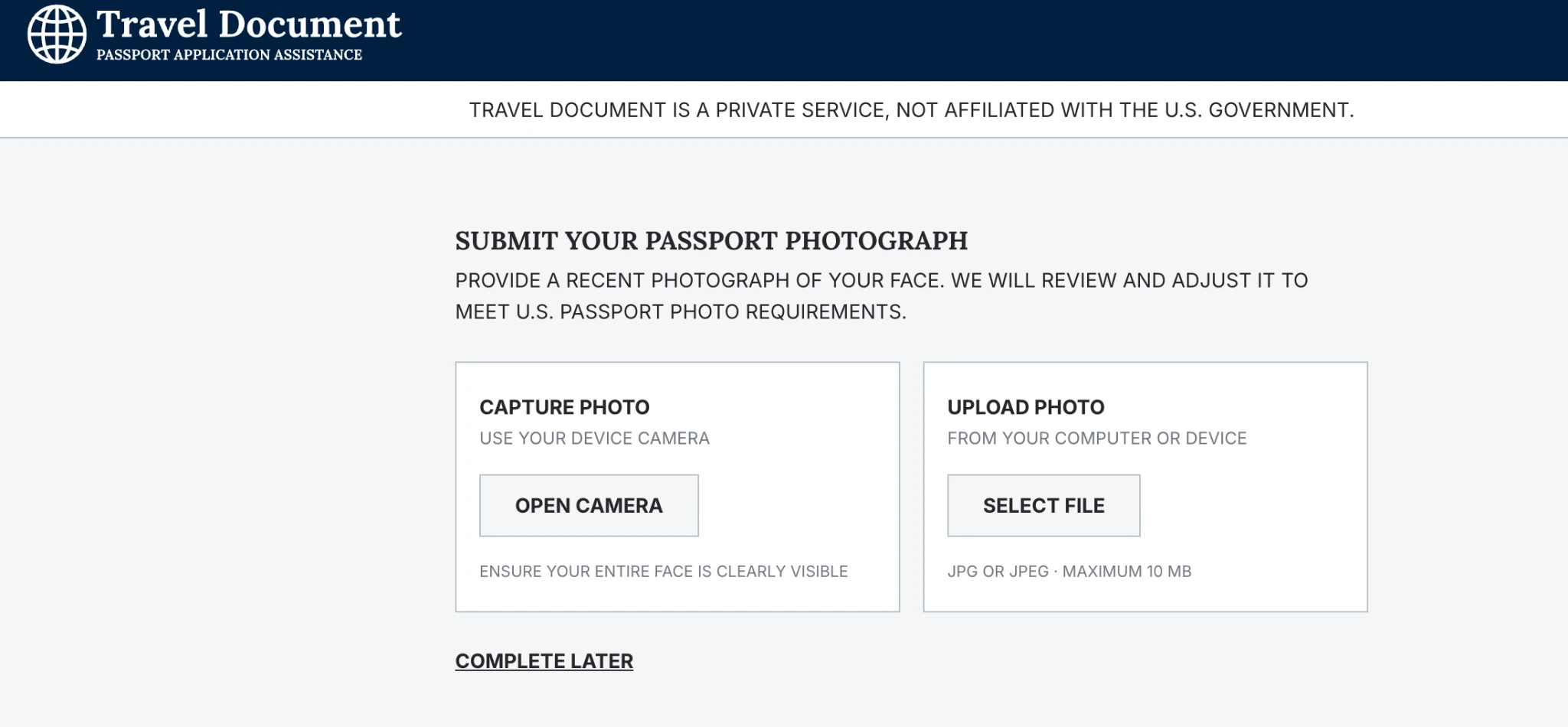
Travel Document also provides a photo-checking tool to help you see whether your picture meets the requirements.
Don't forget to bring your original citizenship document and identification to your appointment. Having digital copies ready for the online application isn't a substitute for presenting the required originals in person.
What Is the Application Process Like?
The website breaks the application into smaller sections rather than asking you to complete one long form. That's probably helpful if you're unfamiliar with passport paperwork.
You'll notice a warning about incorrect or incomplete information appearing throughout the process. The site also reminds users that details must match their supporting documents. One thing to remember is that your session can expire if you leave the page inactive for too long.
The first-passport application has its own requirements, but much of the website's layout follows the same general process as the renewal application.
Here's what you can expect:
Agree to the terms. Before entering your details, you'll be asked to accept the service terms. Read these carefully. They include binding individual arbitration and a waiver of class-action claims.
Choose your passport type. You can select a passport book or a book and passport card together. The card has limited uses. It covers land and sea entry into the U.S. from Canada, Mexico, Bermuda and certain Caribbean destinations, but it isn't valid for international air travel.
Provide your address. You'll enter your residential address and the address where you want the passport delivered.
Add an emergency contact. This section is optional, so you can skip it if you don't want to provide those details.
Check your answers. Before finishing, you'll get an opportunity to go through the information you've entered and make corrections.
Select a processing option. You'll need to choose the speed that suits your circumstances. The website doesn't automatically select one for you.
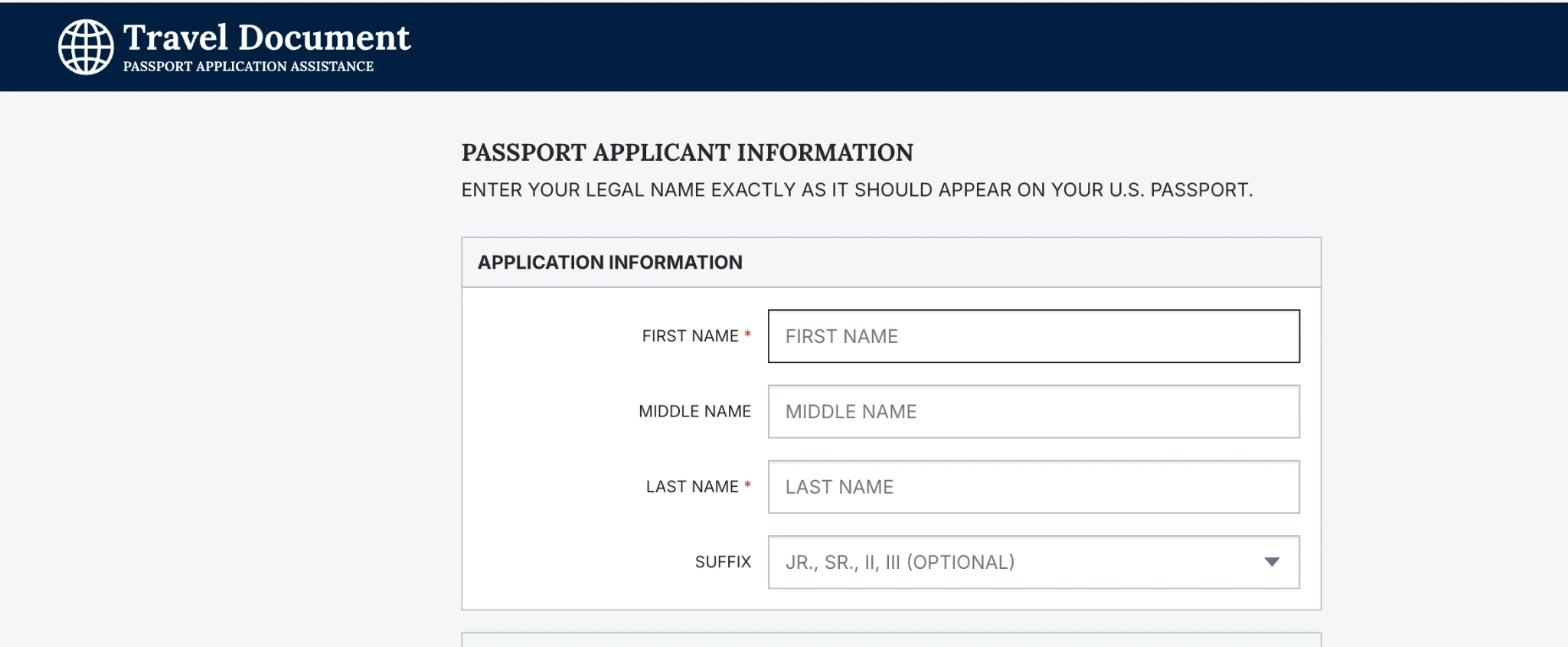
There's one important difference between a first passport and a renewal. With a renewal, the website may be able to extract information from an existing passport. First-time applicants don't have that option. You'll need to enter your personal information and citizenship details yourself.
Take your time with this part. Even a small mistake in a name, date or other personal detail can cause problems later.
Processing Times and Costs
This is probably the section most people will want to look at before deciding whether to use the service.
How long does it take?
Travel Document has four processing options in its renewal application:
Essential: Standard delivery, estimated at around 6 to 8 weeks.
Expedited: Estimated delivery in approximately 4 weeks.
Priority: Approximately 2 weeks, handled through a registered passport courier.
Rush: Around 3 to 5 business days, also handled through a registered passport courier.
These figures are estimates rather than guaranteed delivery dates.
There's another point to consider if you're applying for your first passport. You still need to attend an acceptance appointment and submit your documents. Don't assume that selecting a faster option means you can skip those requirements or that the government will approve your application within the advertised timeframe.
If you have an upcoming trip, check the latest official processing information before choosing a plan.
Can You Apply Without Using Travel Document?
Yes, and it's worth knowing that before spending anything.
The U.S. government provides passport application forms at no cost. You can get them through passport acceptance facilities, including participating post offices, or find the information online at travel.state.gov.
The official website explains which documents you need, how your passport photo should look and what fees apply.
You'll still have to attend an in-person appointment whether you use Travel Document or complete the paperwork yourself.
So, what's the difference? With Travel Document, you're paying for someone to guide you through the preparation and review process. Without it, you're responsible for following the official instructions and checking your own application.
Neither option removes the appointment requirement.
What I Like and What I'd Think Twice About
The good points
The application is divided into manageable sections, which makes it less intimidating for first-time applicants.
There's a photo-checking tool to help with passport photo requirements.
You get an opportunity to review the information before finishing.
The company makes it clear that it isn't a government agency.
Parents can prepare applications for children and other family members using one account.
There are faster processing options for people who need additional assistance with urgent applications.
The drawbacks
You still have to attend an in-person appointment.
Government fees are separate for first-time applications.
You're paying a service fee for help with a government form that's available free of charge.
So, Is Travel Document Worth It for Your First Passport?
Definitely yes, I think it comes down to how comfortable you are handling the application yourself. If you've never applied for a passport before, it's understandable to want a little help. There are several documents to gather, photo requirements to follow and details that need to be entered correctly. Having someone guide you through those steps and review the information can make the preparation less stressful.
But I'd be careful not to expect more from the service than it actually offers. Travel Document doesn't issue passports, approve applications or get rid of the in-person appointment. You'll still need to provide your original documents and pay the government's fees.
For someone applying for several family members or anyone who finds official forms difficult to navigate, the assistance might justify the extra expense. On the other hand, if you're comfortable collecting your documents and following instructions, there's no real reason you can't apply directly.